
Troy-Bilt Mower Manual: A Comprehensive Guide
Navigating your Troy-Bilt mower’s operation and upkeep is simplified with a dedicated manual, offering crucial details for model identification and maintenance procedures.
Understanding Your Troy-Bilt Mower
Troy-Bilt mowers represent a significant investment in lawn care, demanding proper understanding for optimal performance and longevity. Familiarizing yourself with your specific model is paramount, as features and maintenance requirements vary;
Locating the model and serial number – typically found on a sticker at the back left of walk-behind decks or under the seat of riding mowers – unlocks access to tailored resources. These numbers are essential for accurate parts lookup and accessing the correct manual, ensuring you receive precise guidance for your machine.
Locating the Model and Serial Number
Identifying your Troy-Bilt mower’s model and serial number is the first step towards effective maintenance and repair. For walk-behind mowers, inspect the back left side of the mower deck; the sticker is usually prominently displayed.
Riding mowers have the identification plate located conveniently on the underside of the seat. These numbers, often eleven characters long, are crucial for accessing specific manuals, ordering replacement parts, and verifying warranty coverage. Keep this information readily available for future reference.
Walk-Behind Mower Model & Serial Number Location
Locating the model and serial number on your Troy-Bilt walk-behind mower is straightforward. The identification sticker is consistently found on the back left side of the mower deck. Carefully inspect this area, as the sticker may sometimes be partially obscured by debris or grass clippings.
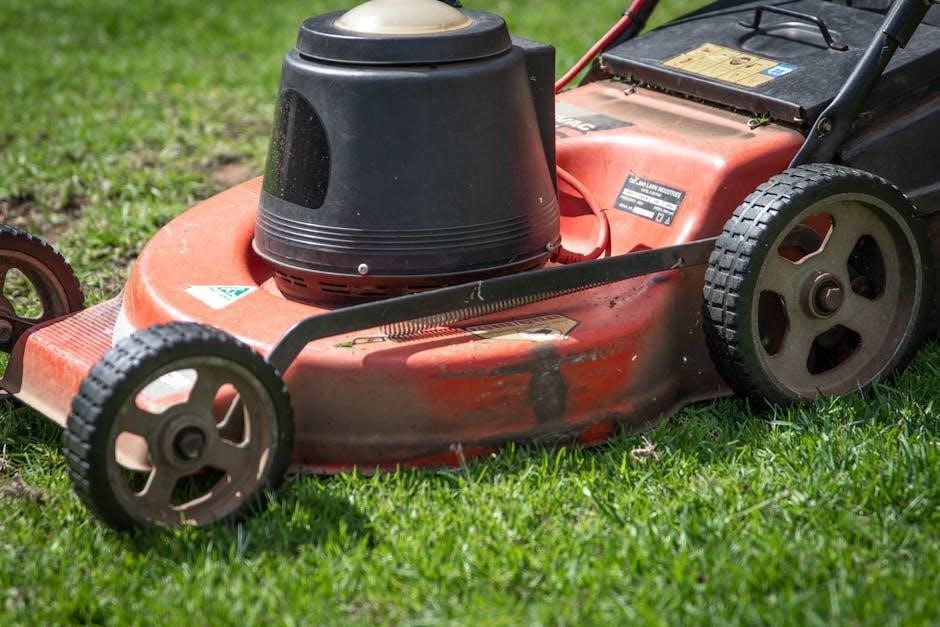
This sticker contains vital information for accessing the correct owner’s manual, ordering replacement parts, and understanding your mower’s specific features. Ensure the numbers are clearly legible for accurate identification and efficient service.
Riding Mower Model & Serial Number Location
Identifying your Troy-Bilt riding mower’s model and serial number is essential for maintenance and repairs. The location is typically found on a plate affixed to the underside of the seat. Lift the seat to reveal this crucial information.
Model numbers for riding mowers generally begin with either “13” or “14”. This number, alongside the serial number, unlocks access to specific parts diagrams, owner’s manuals, and warranty details. Keep this information readily available for future reference and service needs.
Decoding the Model Number
Understanding the Troy-Bilt model number provides valuable insight into your mower’s specifications and manufacturing details. The model number is consistently eleven characters long, prominently displayed on the Product Identification Label. This alphanumeric code incorporates both numbers and letters, each signifying specific attributes of the machine.
Decoding this number allows for precise parts ordering and accurate access to relevant documentation. It’s a key identifier when seeking assistance from customer support or locating compatible accessories. Familiarizing yourself with this system streamlines maintenance and repair processes.
The Eleven-Character Model Number Format
Troy-Bilt employs a standardized eleven-character model number format for easy identification and parts referencing. These numbers aren’t random; each position holds specific meaning related to the mower’s design and features. The composition includes a blend of numbers and letters, carefully arranged to denote manufacturing details.
Analyzing each character reveals information about the mower type, production date, and specific configuration. This structured system ensures accurate parts ordering and efficient troubleshooting. Understanding this format empowers owners to quickly access relevant information and maintain their equipment effectively.
Importance of the Serial Number
The serial number is a unique identifier for your specific Troy-Bilt mower, distinct from the model number. It’s crucial for warranty verification, tracking manufacturing dates, and identifying potential safety recalls affecting your unit. Troy-Bilt utilizes this number to pinpoint exact production details and component specifications.
Providing the serial number when requesting parts or service ensures you receive the correct components for your mower’s build. It also allows Troy-Bilt to notify you of any relevant safety updates or recalls, safeguarding your operation and extending the mower’s lifespan.
Accessing Troy-Bilt Mower Manuals

Obtaining your Troy-Bilt mower manual is straightforward, offering convenient access to vital information. Troy-Bilt provides an online manual lookup tool on their official website, allowing you to find the correct manual by entering your mower’s model number. Alternatively, you can often download printable manuals directly from the site for offline reference.
These digital resources eliminate the need for physical copies, ensuring you always have access to troubleshooting guides, maintenance schedules, and safety instructions. Utilizing these resources empowers owners to properly maintain and operate their equipment.
Online Manual Lookup
The Troy-Bilt website features a robust online manual lookup system, designed for quick and easy access to documentation. Users simply input their mower’s specific model number into the search bar, and the corresponding manual appears. This digital approach eliminates the need to sift through extensive lists or contact customer support.
The online platform provides a user-friendly interface, displaying manuals in a readily viewable format. This ensures owners can swiftly locate the information needed for operation, maintenance, and troubleshooting their Troy-Bilt equipment.
Downloading Printable Manuals
Beyond online viewing, Troy-Bilt allows users to download printable manuals directly from their website. This feature is ideal for those who prefer a physical copy for reference in the garage or while working on their mower. The downloadable files are typically in PDF format, ensuring compatibility across various devices.
Having a printed manual provides convenient access to crucial information, even without an internet connection. This is particularly useful during outdoor maintenance or repairs, offering a readily available resource for safe and effective operation of your Troy-Bilt mower.
Common Troy-Bilt Mower Issues & Troubleshooting
Encountering issues with your Troy-Bilt mower is common, but many are easily resolved with basic troubleshooting. Engine starting problems often stem from a clogged air filter, stale fuel, or a faulty spark plug. Blade engagement issues can indicate a worn drive belt or a problem with the blade engagement cable.
Consulting your owner’s manual provides specific guidance for diagnosing and fixing these common problems. Remember to always disconnect the spark plug wire before performing any maintenance to prevent accidental starting.
Engine Starting Problems
Difficulty starting your Troy-Bilt mower frequently points to fuel or ignition system issues. Check the fuel level and ensure the fuel is fresh; old fuel can cause starting problems. A clogged air filter restricts airflow, hindering combustion. Inspect the spark plug for fouling or damage, and replace if necessary.
Confirm the spark plug wire is securely connected. If the engine still won’t start, the carburetor may require cleaning. Refer to your owner’s manual for detailed instructions on these procedures.
Blade Engagement Issues
Problems with blade engagement often stem from the blade engagement cable or the mower’s deck. Ensure the cable is properly connected at both the handle lever and the blade engagement mechanism. Inspect the cable for fraying or damage, replacing it if needed. A loose or broken belt connecting the engine to the deck can also prevent blade engagement.
Verify the belt’s tension and condition. Additionally, check for obstructions under the deck that might be hindering blade movement. Consult your manual for specific diagrams and troubleshooting steps.
Maintenance Schedules & Procedures

Regular maintenance extends your Troy-Bilt mower’s lifespan and ensures optimal performance. Adhere to the schedule outlined in your owner’s manual, typically including tasks before each use, after every 25 hours of operation, and annually. Key procedures encompass checking and changing the oil, inspecting and cleaning or replacing the air filter, and lubricating moving parts.
Don’t neglect blade sharpening and balancing. Following this schedule prevents costly repairs and keeps your mower running smoothly for years to come. Refer to the manual for specific fluid types and intervals.
Regular Oil Changes
Consistent oil changes are vital for engine health, reducing friction and dissipating heat. Consult your Troy-Bilt mower’s manual for the recommended oil type and capacity; typically, SAE 30 is used, but synthetic options are available. Change the oil after the first 25 hours of use, then every 50 hours or annually, whichever comes first.
Ensure the engine is warm before draining the old oil. Proper disposal of used oil is crucial for environmental protection. Always check the oil level before each use to maintain optimal lubrication.
Air Filter Maintenance
Maintaining a clean air filter ensures optimal engine performance by preventing debris from entering the carburetor. Inspect the air filter before each use, and clean or replace it as needed. Foam filters should be washed with soap and water, squeezed dry, and lightly oiled before reinstallation.
Paper filters should be tapped gently to remove loose dirt or replaced entirely if heavily soiled. A clogged air filter restricts airflow, leading to reduced power and increased fuel consumption. Regular checks prolong engine life.
Blade Care and Sharpening
Proper blade care is essential for a clean, efficient cut and the longevity of your Troy-Bilt mower. Regularly inspect blades for damage, such as bends or cracks, and replace them if necessary. Sharpening dull blades restores cutting performance and reduces strain on the engine.

Always disconnect the spark plug wire before working with the blade. Securely remove and install the blade, ensuring it’s facing the correct direction. Maintain the original angle during sharpening to preserve balance.
Safe Blade Removal and Installation
Prioritize safety when removing or installing the mower blade. Always disconnect the spark plug wire to prevent accidental starting. Securely block the wheels to prevent movement during the process. Wear heavy-duty gloves to protect your hands from sharp edges.
Use a block of wood to hold the blade stationary while loosening the bolt. Note the blade’s orientation before removal for correct reinstallation. Tighten the blade bolt to the manufacturer’s specified torque to ensure secure attachment.
Blade Sharpening Techniques
Maintaining a sharp blade ensures a clean cut and healthy lawn. Remove the blade and secure it in a vise. Use a metal file or a bench grinder to sharpen the cutting edges, following the original angle. Balance the blade after sharpening using a blade balancer; an unbalanced blade causes vibration.
Avoid overheating the blade during grinding, as this can weaken the metal. Ensure the blade is evenly sharpened along its entire length. Reinstall the blade correctly, ensuring proper orientation and torque specification.
Fuel System Maintenance
Maintaining a clean fuel system is vital for optimal engine performance. Regularly replace the fuel filter to prevent debris from reaching the carburetor. Inspect fuel lines for cracks or leaks, replacing them as needed. Carburetor cleaning may be necessary if the engine runs poorly; use carburetor cleaner following the manual’s instructions.
Always disconnect the spark plug wire before working on the fuel system. Use fresh fuel and consider a fuel stabilizer, especially during storage. Dispose of old fuel responsibly.
Fuel Filter Replacement
Replacing the fuel filter is a straightforward maintenance task. First, shut off the fuel supply and disconnect the fuel line from both ends of the filter. Note the filter’s orientation for correct reinstallation. Carefully remove the old filter and install the new one, ensuring a tight fit at both connections;
Prime the fuel bulb, if equipped, and check for leaks after restarting the engine. Regular replacement—typically annually—prevents debris from damaging the carburetor and ensures smooth operation.

Carburetor Cleaning
A clogged carburetor can cause starting problems and poor engine performance. Begin by disconnecting the fuel line and carefully disassembling the carburetor, noting the position of all parts. Use carburetor cleaner to thoroughly spray and clean all jets, passages, and components.
Pay close attention to the tiny holes, ensuring they are clear of debris. Reassemble the carburetor, ensuring all parts are correctly positioned, and reconnect the fuel line. Proper cleaning restores optimal fuel delivery.
Drive System Maintenance
Maintaining the drive system ensures smooth operation and prevents premature wear. Regularly inspect the drive belt for cracks, fraying, or excessive wear, replacing it if necessary. Lubricate the drive system components, including the axles and gears, with appropriate grease.
Check for proper belt tension and adjust as needed. Ensure all linkages are connected and move freely. A well-maintained drive system delivers reliable power to the wheels, enhancing mowing efficiency and longevity.
Belt Inspection and Replacement
Regularly inspect the drive belt for signs of wear, including cracks, fraying, or glazing. A worn belt will slip, reducing drive power and potentially causing damage. To replace, disconnect the spark plug wire for safety. Remove any covers necessary to access the belt.
Note the belt routing before removal. Install the new belt, ensuring it’s properly seated in all pulleys. Verify correct tension and adjust if needed. A properly maintained belt ensures efficient power transfer.
Drive System Lubrication
Proper lubrication is vital for a smooth-operating drive system. Consult your mower’s manual for specific lubrication points, typically including wheel bearings and the transmission. Use a high-quality chassis grease for bearings, applying it until old grease is expelled.
For transmissions, use the recommended transmission fluid, checking the level and adding as needed. Avoid over-lubrication, as it can attract debris. Regularly lubricate these components to minimize friction, reduce wear, and extend the life of your mower’s drive system.
Electrical System Troubleshooting
Addressing electrical issues requires caution. Begin by inspecting the battery connections, ensuring they are clean and tight. A weak or dead battery is a common culprit; test its voltage with a multimeter. Next, check the spark plug for fouling or damage, replacing it if necessary.
Inspect wiring for loose connections or damaged insulation. Use a continuity tester to verify wire integrity. If the mower still doesn’t start, consult the wiring diagram in your manual for further diagnostics, and consider professional assistance.
Battery Maintenance and Replacement
Proper battery care extends its lifespan. Keep the battery terminals clean and corrosion-free using a baking soda solution. During storage, disconnect the battery to prevent discharge. Regularly check the electrolyte level in non-sealed batteries, adding distilled water as needed.
When replacing, ensure the new battery matches the voltage and amperage specifications in your mower’s manual. Dispose of old batteries responsibly at a recycling center. Always disconnect the negative terminal first during removal and reconnect it last during installation.
Spark Plug Inspection and Replacement
Regular spark plug inspection is vital for optimal engine performance. Check for fouling, wear, or damage. A properly gapped spark plug ensures efficient combustion. Use a spark plug wrench to remove and install the plug carefully, avoiding cross-threading.
Replace the spark plug according to the maintenance schedule or if issues arise. Ensure the new plug matches the engine’s specifications. Tighten the plug to the manufacturer’s recommended torque. A faulty spark plug can cause starting problems or reduced power.
Safety Precautions
Prioritize safety when operating your Troy-Bilt mower. Always wear appropriate safety glasses and sturdy footwear. Never operate the mower with missing safety devices. Keep children and pets away from the mowing area. Inspect the lawn for obstacles before starting.
Refuel only when the engine is cool and in a well-ventilated area. Avoid operating the mower on steep slopes. Disconnect the spark plug wire before performing any maintenance. Be aware of discharge direction and avoid pointing it towards others.
Pre-Operation Safety Checks
Before each use, ensure the mower’s blade is securely attached and undamaged. Check oil and fuel levels, adding if necessary. Inspect all guards and shields, verifying they are in place and functional. Confirm the grass catcher is properly installed. Clear the mowing area of any debris or obstructions.
Verify the safety interlock system is working correctly. Ensure a clear understanding of the mower’s controls. Never attempt to override safety features. Always wear appropriate personal protective equipment, including eye protection.
Safe Operating Procedures
Maintain a firm grip on the steering controls during operation. Avoid sudden turns or stops on slopes. Never allow children or pets near the mowing area. Keep hands and feet away from the rotating blade. Mow across slopes, not up and down, to prevent rollovers.
Stop the engine before making any adjustments or clearing obstructions. Never lift or carry a running mower. Be aware of your surroundings and potential hazards. Always disengage the blade when not mowing.
Recalls and Safety Notices
Staying informed about Troy-Bilt product recalls is crucial for safety. MTD Products, the parent company, occasionally issues recalls for specific mower models. Check the MTD Products website regularly for updated recall information. Specifically, a recall affected approximately 1,774 Troy-Bilt SpaceSavr Walk-Behind Self-Propelled Lawn Mowers due to potential fuel leaks when stored upright.
Verify if your mower is subject to any current safety notices or recalls by entering your model and serial number on the official MTD website. Prioritize safety and address any recall issues promptly.

MTD Products Recall Information
MTD Products, encompassing Troy-Bilt, proactively addresses safety concerns through product recalls. Information regarding these recalls is readily available on the official MTD website, providing details about affected models and potential hazards. A recent recall involved roughly 1,774 Troy-Bilt SpaceSavr mowers, exhibiting fuel leakage when stored vertically.
Consumers are urged to regularly check the MTD recall page, utilizing their mower’s model and serial number to determine if their unit is impacted. Promptly addressing recall notices ensures safe operation and prevents potential incidents.
Checking for Applicable Recalls
To verify if your Troy-Bilt mower is subject to any current safety recalls, locate the model and serial number – typically found on a sticker at the rear left of the deck for walk-behinds, or under the seat for riding mowers.
Visit the official MTD Products recall website and input this information. This crucial step ensures you’re aware of any potential safety issues and can take appropriate action, safeguarding yourself and others. Regularly checking is recommended, as recalls can be issued at any time.
Parts Lookup and Replacement
Maintaining your Troy-Bilt mower often requires replacing worn or damaged parts. Utilize the official Troy-Bilt parts lookup tool, accessible online, by entering your specific model number for accurate results. This tool provides detailed diagrams and lists compatible components.
Prioritize sourcing OEM (Original Equipment Manufacturer) Troy-Bilt parts to guarantee fit and performance. Several retailers offer these parts, ensuring your mower continues to operate safely and efficiently. Always verify part compatibility before ordering.
Using the Troy-Bilt Parts Lookup Tool
The Troy-Bilt parts lookup tool streamlines the process of finding the correct replacement parts for your mower. Begin by visiting the official Troy-Bilt website and navigating to the parts section. Accurately input your mower’s model number into the designated search box.
The tool will then display exploded diagrams of your mower, allowing you to visually identify the specific part you need. Clicking on a part in the diagram provides its part number and availability. This ensures you order the precise component for a successful repair.
Sourcing OEM Troy-Bilt Parts
Genuine Troy-Bilt Original Equipment Manufacturer (OEM) parts guarantee optimal performance and longevity for your mower. Purchasing OEM parts ensures compatibility and maintains the integrity of your machine’s design. These parts can be sourced directly from the Troy-Bilt website, authorized Troy-Bilt dealers, or reputable online retailers specializing in outdoor power equipment parts.
Avoid using generic or aftermarket parts, as they may not meet Troy-Bilt’s quality standards and could potentially damage your mower. Investing in OEM parts safeguards your investment and ensures continued reliable operation.
Winterizing Your Troy-Bilt Mower
Proper winterization is crucial for protecting your Troy-Bilt mower during the off-season. Begin by stabilizing the fuel with a fuel stabilizer to prevent degradation and gumming in the fuel system. Drain or stabilize the fuel, then run the engine briefly to circulate the treated fuel. Disconnect the battery and store it in a cool, dry place to prevent corrosion.
Clean the mower deck thoroughly, removing any debris. Consider changing the oil before storage to protect the engine’s internal components. Cover the mower to shield it from the elements.
Fuel Stabilization
Fuel degrades over time, especially during storage, leading to starting problems and carburetor issues. Utilizing a fuel stabilizer is paramount when preparing your Troy-Bilt mower for winter or extended periods of inactivity. Add the stabilizer to the fuel tank according to the manufacturer’s instructions, ensuring thorough mixing by running the engine briefly.
This prevents the formation of gum and varnish, preserving fuel quality. Alternatively, draining the fuel system completely is also effective, though stabilizer offers convenient protection.
Battery Storage
Proper battery storage is crucial for maintaining its lifespan during the off-season. Remove the battery from your Troy-Bilt mower and clean any corrosion from the terminals using a baking soda solution. Store the battery in a cool, dry place, avoiding extreme temperatures.

Ideally, use a trickle charger or battery maintainer to keep the battery charged throughout the winter months. This prevents sulfation and ensures it’s ready for use when spring arrives, maximizing performance.
Understanding Warranty Information
Troy-Bilt provides warranty coverage on its mowers, varying by model and purchase date. Typically, warranties cover defects in materials and workmanship for a specified period. Review your purchase documentation or visit the Troy-Bilt website to determine your specific warranty terms.
Warranty claims generally require proof of purchase and may involve inspection by an authorized service center. Understanding the coverage details and claim procedures ensures a smooth process should any issues arise during the warranty period.
Troy-Bilt Warranty Coverage
Troy-Bilt’s warranty generally covers defects in materials and workmanship for a defined timeframe, often differing based on the specific mower model. Residential use typically receives a longer coverage period than commercial applications. Components like the engine may have separate warranties provided directly by the engine manufacturer.
Coverage usually includes repair or replacement of defective parts, but excludes issues arising from misuse, improper maintenance, or normal wear and tear. Always retain your proof of purchase to validate any warranty claims.
Warranty Claim Procedures
Initiating a warranty claim with Troy-Bilt generally requires contacting their customer support team, providing your model and serial number, and detailing the issue. Documentation, such as a copy of your purchase receipt, is essential. You may be directed to an authorized Troy-Bilt service center for inspection and repair.

Pre-authorization is often needed before undertaking any repairs. Keep records of all communication and repair work. Troy-Bilt will determine if the issue is covered under warranty and authorize the necessary actions.